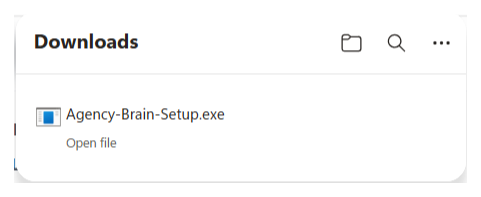
Download the app
Install Agency Brain on your machine, then open it and sign in with your email. You'll get a 6-digit code. One download, set up in minutes.
Free · always the newest version
Installing on Windows? Here's what to expect
Agency Brain is code-signed (published by Mike Rhodes). Windows SmartScreen may still show a one-time warning the first time you install it (after that, the app updates itself with no warning). It's harmless, and here's how to get past it.
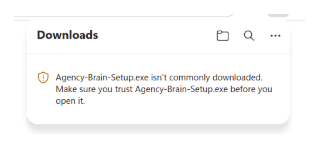
1. If Edge flags the download
A new download can trip "Agency-Brain-Setup.exe isn't commonly downloaded". Hover over it in the Downloads list, click the three dots (⋯) next to it, and choose Keep.
2. If SmartScreen shows a blue box
If Windows shows "Windows protected your PC", click More info, then Run anyway. You'll see it's published by Mike Rhodes, which is the signed installer.
3. If nothing happens when you double-click it
On a locked-down or work-managed PC, Windows can silently refuse to run a just-downloaded installer, with no box and no error at all. To clear it, right-click the downloaded Agency-Brain-Setup.exe, choose Properties, tick Unblock near the bottom, click OK, then double-click it again. It runs first time after that.
4. Install, then open and sign in
Run the installer. Then open Agency Brain and sign in with your email, and you'll get a 6-digit code.